Devices

This page is a copy of the Katalog 2 documentation (2.13), kept for reference. For Katalog 3, see the current documentation.
Summary
This page describes the concept of Device in Katalog and the top part of the Devices screen.
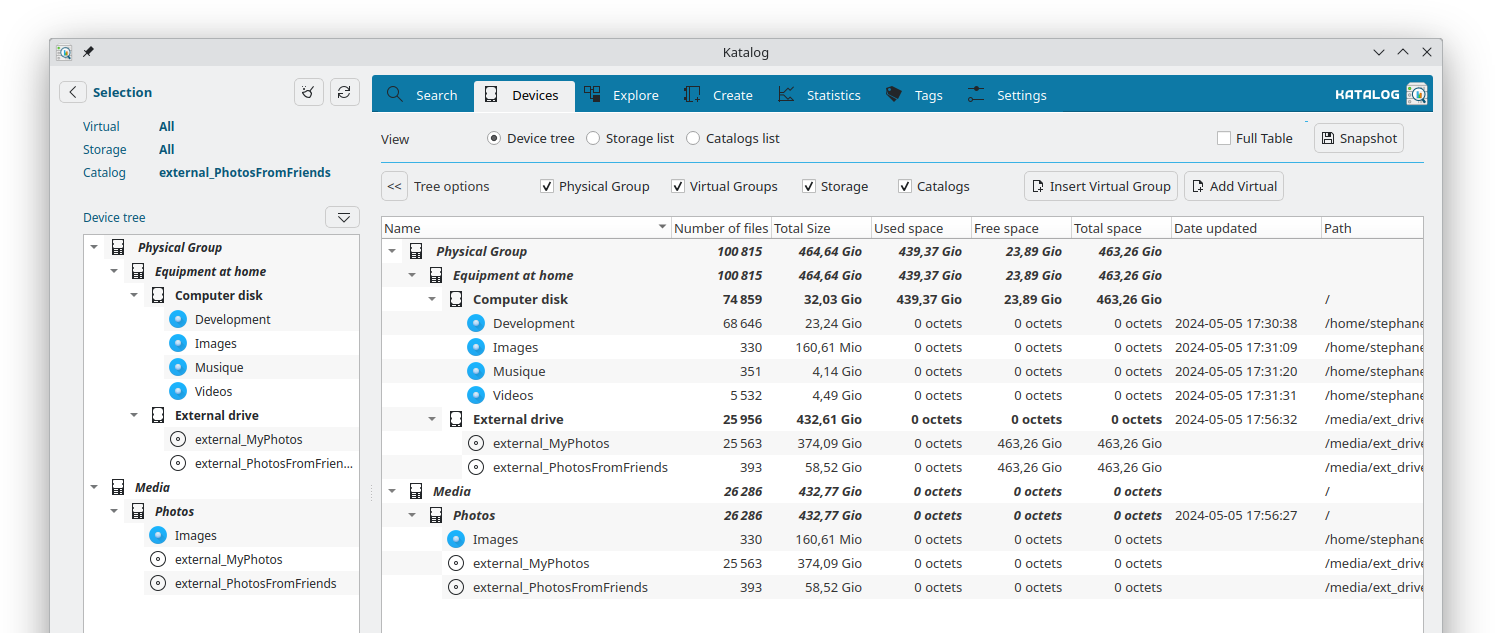
In this example, several catalogs have been created from 2 physical drives.
The catalogs with photos/images/pictures have been assigned to a virtual Photos device.
This gives a way to search in these only, and provides totals of number and size of photo files.
Model
Definitions
-
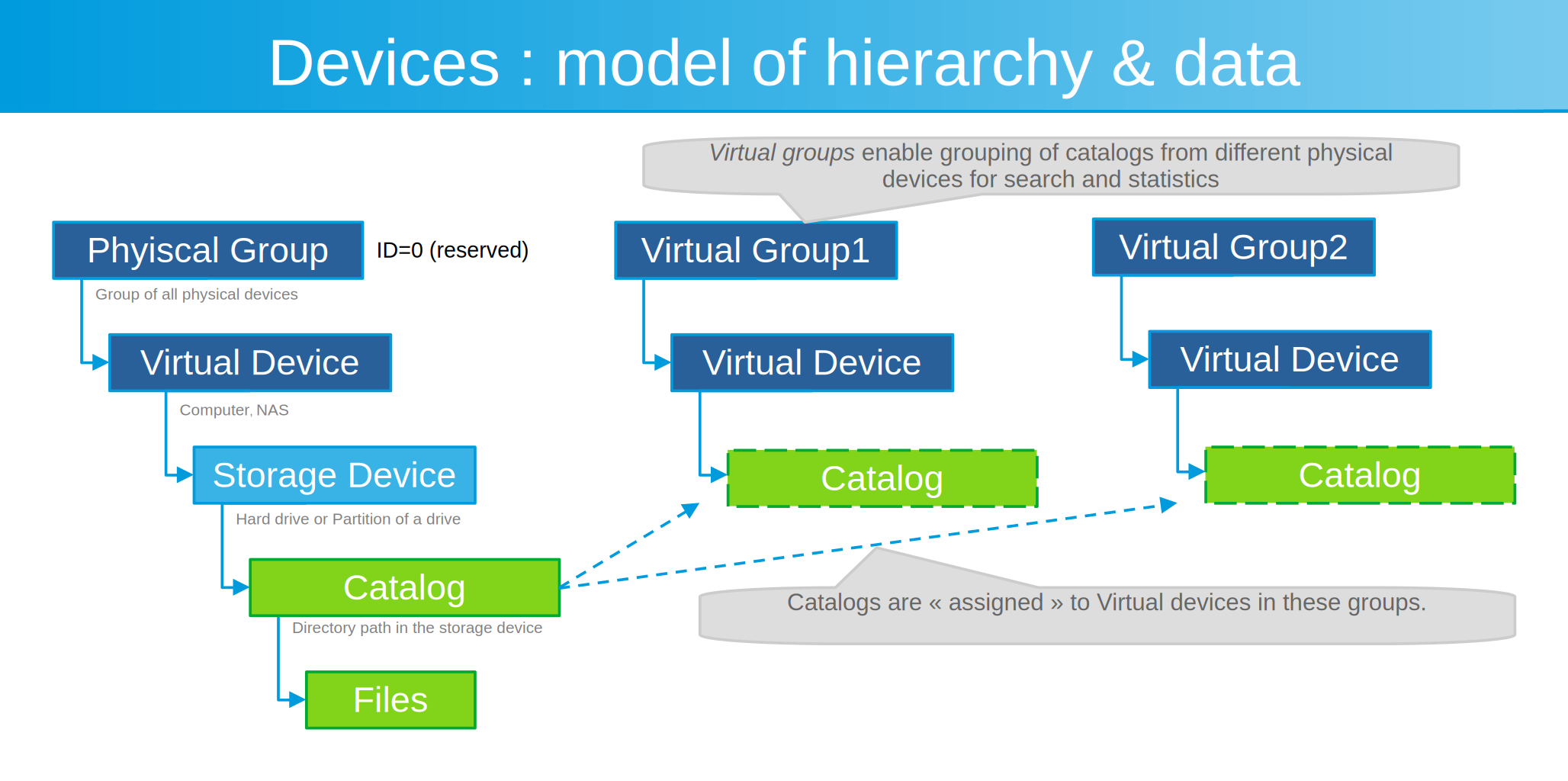
A Catalog device is an index of files from a particular directory.
-
A Storage device is a physical drive on which files are stored. Typically it is mounted or connected to the computer, and it has physical storage space.
-
A Virtual device is any non-physical item used to group other devices together. It has no properties on its own and can aggregate numbers from the related sub-devices.
-
A Group is a virtual device at the top of the hierarchy.
-
The Physical group is a unique and reserved group for the hierarchy of physical devices (computer, phone, disk, etc.).
-
Any other is a Virtual group to which existing catalogs can be assigned to facilitate searching and statistics.
-
-
Any device can have a Comment: a free text note, entered on the device edit form and shown next to the device name in the Devices list.
Hierarchy
Features
Always available at the top of the screen:
Choosing between 3 views
The devices can be listed and managed in 3 ways:
Device Tree: Shows the full and unfiltered list of all devices in a hierarchy / tree structure.
Storage list: Shows only Storage devices, filtered by the Selection panel.
Catalog list: Shows only Catalog devices, filtered by the Selection panel.
Choosing between cards and table
On the Storage list and the Catalog list, the devices can be shown in two ways:
Cards: each device is a card, with its name, its main figures and a menu of actions. Comfortable for reading a handful of devices.
Table: the devices are shown as rows and columns, as in the previous version of Katalog. Values line up down each column, so devices can be compared at a glance, and clicking a column heading sorts the list by that column — clicking it again reverses the order. Numbers, sizes and dates sort by their real value, not alphabetically.
The choice applies to both lists and is remembered for each collection. The Device Tree view is always shown as cards.
Right-clicking a table row opens the same menu of actions a card offers.
Display full table
When enabled, all available columns are shown in the current view.
When unticked, columns that are not needed on a day-to-day basis (such as internal IDs) are hidden, keeping the view simpler and more readable.
Update active device
Updates the currently selected device — re-scans its files from the source path.
This button is enabled when a device with a reachable source path (shown with a colored icon) is selected in any of the three views.
Record a snapshot
Records the current values of all devices (file count, file size, free space, total space) independently of the current selection or filters.
After recording, a summary is shown with the new totals and the change since the previous snapshot (delta).
These records support Statistics and allow tracking the collection globally over time.