Roadmap


Vision
Katalog aims to provide the richest set of features for device and file management across as many platforms as possible starting from KDE Plasma on Linux, extending toward Windows, mobile, and web.
Ideas
Backlog
Active and planned work items are tracked in the GitHub Backlog Major Features.
Katalog 3
Introduction
Katalog 3 is a new major version of Katalog, transitionning to a more modern UI, and fitting future tablets & smartphones use. It relies on QtQuick and Kirigami from KDE.
Katalog 2 remains the current major version, until Katalog 3 covers all existing features. Katalog 2 may be maintained beyond Katalog 3 full release, as long as UI work is light.
Katalog 3.0 will therefore be the first complete release and will become then the main version.
Until then, the main release will still be 2.x but will include binaries Katalog 3.alpha.x.
This is enabled by having done a full split of UI and backend, and the common use of /core (backend) means that Collections will remain compatible to both versions.
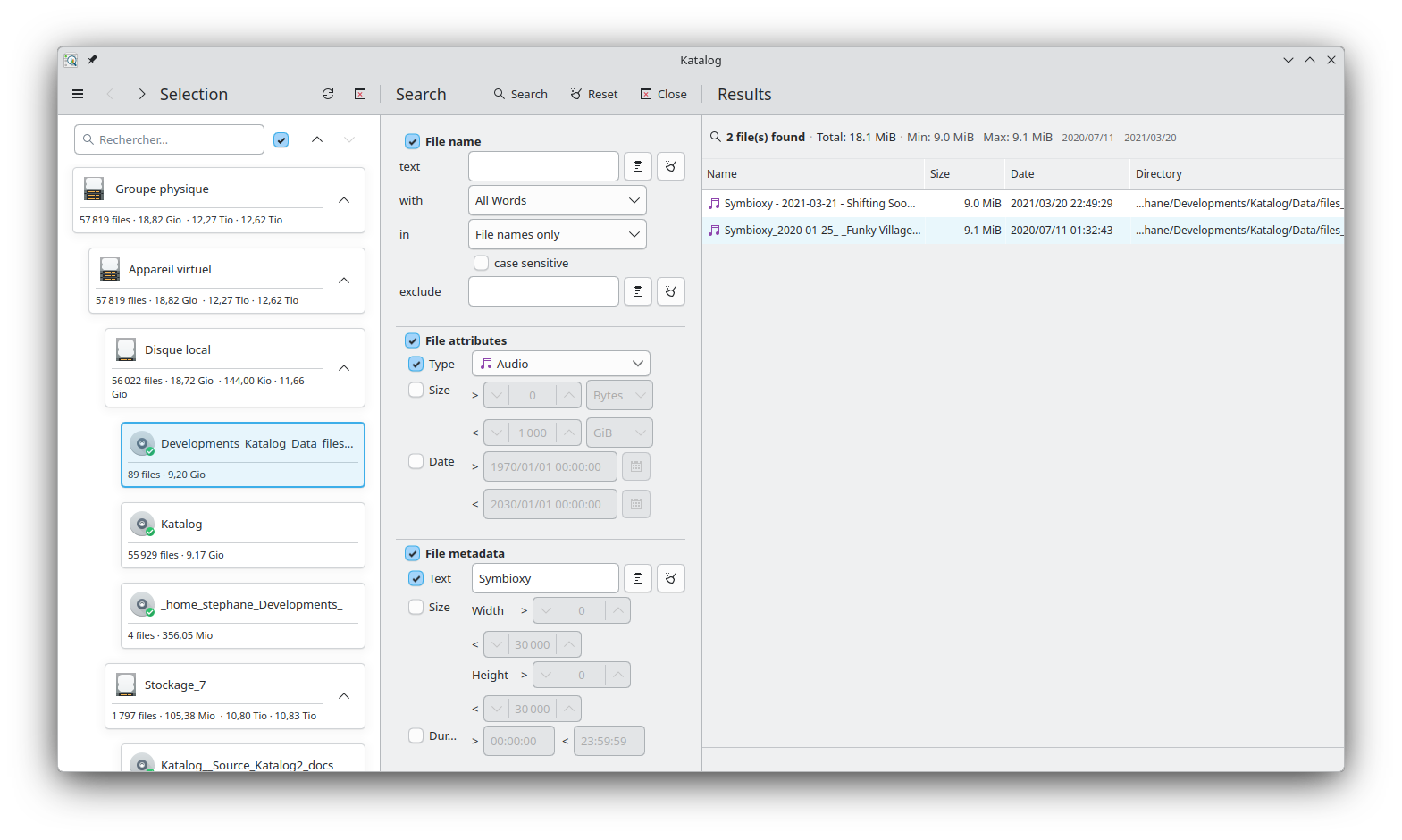
Development phases
Code management:
Phases
Legend: ✅ Done · 🚧 Partial · 🔲 Not started
| Phase | Feature Scope | Status | Katalog 3 Version |
|---|---|---|---|
| 1 | READ ONLY, Search features, English Only | ✅ | Katalog 3.alpha1 |
| 2 | Full Featured except Themes & Translations | ✅ | Katalog 3.alpha2 |
| 3 | Translations, Documentation, Tests | 🔲 | Katalog 3.0 |
| Platform | Status | Notes |
|---|---|---|
| Linux | ✅ | Primary dev environment |
| Windows | ✅ | Build works with Craft |
| macOS | ✅ | Build works in GitHub Actions |
Detailed status by Feature
| Screen / Feature | K2 | K3 | Remaining | New feature vs K2 |
|---|---|---|---|---|
| Screen/tabs | ✅ | ✅ | - Access via a "Drawer" now, which can be hidden or pinned" | |
| Open Collection | ✅ | ✅ | - Clearer selection of mode and Collection. Open recent collections (last 5 entries). Create collection (File mode) | |
| Selection | ✅ | ✅ | - Card like entries with file & storage statistics - Filter option to limit the list of Devices | |
| Search | ✅ | ✅ | ||
| Search Criteria | ✅ | ✅ | - Paste/Clean buttons for all text input fields | |
| Search Results | ✅ | ✅ | - Select Device path is displayed | |
| Search History | ✅ | ✅ | ||
| Search in Connected | ✅ | ✅ | ||
| Search Progress | ✅ | ✅ | result throttler | |
| Search Pause/Stop | ✅ | ✅ | Review thread mechanism compared to BackUp | |
| Create | ✅ | ✅ | Review thread mechanism compared to BackUp, Add Paste button, Add Paste from selected path & name | |
| Devices | ✅ | 🚧 | ||
| View list | ✅ | 🚧 | Storage and Catalog lists are card like display, to be reviewed and maybe transformed in actual tables | |
| Edit | ✅ | ✅ | ||
| Update progress | ✅ | ✅ | ||
| Update Stop | ✅ | ✅ | ||
| Explore | ✅ | 🚧 | Better folder browser | |
| Statistics | ✅ | 🚧 | zoom in feature | |
| Tags | ✅ | ✅ | ||
| Backup | ✅ | ✅ | ||
| View | ✅ | ✅ | ||
| Create | ✅ | ✅ | ||
| Execute/progress | ✅ | ✅ | ||
| Settings | ✅ | 🚧 | ||
| SettingsFile | ✅ | ✅ | ||
| Version | ✅ | ✅ | ||
| Image folder | ✅ | ✅ | ||
| New & Import | ✅ | ✅ | ||
| Themes | ✅ | 🔲 | ||
| Languages | ✅ | 🔲 | ||
| About | ✅ | ✅ |
Feedback & Support
Bugs: https://github.com/StephaneCouturier/Katalog/issues
Feedback (UI, ideas, etc.): https://github.com/StephaneCouturier/Katalog/discussions